

To watch 9Now outside Australia, connect GatewayVPN to an Australian server, then sign in to 9Now with your free Nine account. 9Now checks your IP address and only plays streams for Australian ones, so the VPN connection is the step that unlocks it.
How to watch 9Now outside Australia with GatewayVPN
You need two things: GatewayVPN connected to Australia and a free Nine account. The whole setup takes about five minutes on a laptop or phone.
- Install GatewayVPN
Download the app for Windows, macOS, iOS, or Android and log in.
- Connect to Australia
Open the server list, select Australia, and tap Connect. Pick it yourself rather than the fastest-server button, which chooses for speed, not for 9Now.
- Open 9Now in your browser
Go to 9now.com.au and sign in, or create a free Nine account with an Australian postcode.
- Press play
Choose a live channel such as Channel 9 or any on-demand show and start streaming.
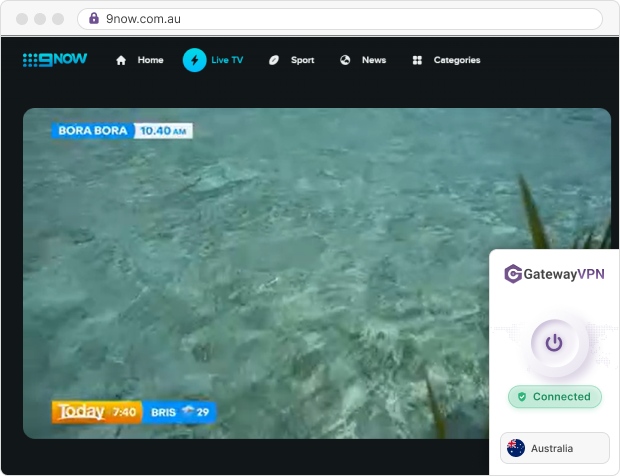
Tip: We recommend connecting before you open 9Now. If the site already loaded with your real location, close the tab, connect to Australia, and open it again.
Why unblock 9Now with GatewayVPN?
Because it keeps your usual Australian TV running while you travel or live abroad. You get apps for the devices you already use, plus settings that stop a long live stream from dropping out.
Here’s what that means in practice for 9Now viewers:
- Apps on your main devices: GatewayVPN runs on Windows, macOS, iOS, and Android, and one account covers 5 devices at the same time.
- No bandwidth limits: a full NRL match or a week of reality TV won’t hit a data cap.
- Kill switch: it cuts your internet if the VPN drops, so 9Now never sees your real IP mid-stream. It’s on Windows, macOS, and Android. Learn how a VPN kill switch works.
- Split tunneling: it lets you choose which apps use the VPN, e.g. 9Now through Australia while your banking app stays local. It’s on Windows, macOS, and Android. See how split tunneling works.
- Automatic reconnects: the iOS and Android apps reconnect on their own when you switch from hotel Wi-Fi to mobile data.
- Room to try it: every plan has a 30-day money-back guarantee, and the iOS and Android apps include a 7-day free trial.
Pick a plan, install the app, and connect to Australia before your next show. Plans start at $11.98 for 1 month, or $4.99 a month on the 12-month plan.
Get GatewayVPNCovered by our 30-day money-back guarantee.
Why does 9Now only work in Australia?
9Now only holds the rights to stream its shows inside Australia, so it blocks everyone else. 9Now says it doesn’t have international streaming rights, which is why even Australians lose access the moment they fly out.
The block works through your IP address, the number that tells websites roughly where your connection comes from. When 9Now sees a non-Australian IP, it shows its “only available in Australia” message instead of the stream. That’s the only check a VPN changes, so here’s what else you still need to handle yourself:
| What 9Now looks at | Does GatewayVPN change it? | What you do |
|---|---|---|
| Your IP address | Yes | Connect to an Australian server |
| Your Nine account | No | Sign up with an Australian postcode |
| Your app store region | No | Use 9now.com.au in a browser instead |
| Payment details | Not needed | Nothing: 9Now is free |
A VPN changes your location. It doesn’t make you anonymous to Nine once you’ve signed in with your email.
How to create a 9Now account from overseas
Connect to Australia first, then sign up on the 9Now website. The account is free, and registration asks for your name and an Australian postcode but no payment details.
Already have a Nine account from home? Just sign in once GatewayVPN shows an Australian connection. Your watch progress carries over across devices.
Good to know: the sign-up page sits behind the same location check as the videos. If registration fails, check that GatewayVPN is still connected to Australia and reload the page.
Can you download the 9Now app overseas?
Yes, but only from an Australian app store account, so the browser is the easier route abroad. The 9Now app is listed in Apple’s Australian App Store, and it doesn’t show up in stores set to other countries.
If you already installed the app in Australia, it keeps working abroad once GatewayVPN connects. Some guides still say the iPhone app needs iOS 13. As of October 2026, the App Store listing requires iOS 15.1 or later on iPhone and iPad, and tvOS 15.1 on Apple TV.
What can you watch on 9Now abroad?
You get the same free lineup as viewers in Sydney or Perth: five live channels, Nine’s news programs, live sport, and reality TV. Here’s a snapshot, checked in October 2026:
| Category | Examples | Source |
|---|---|---|
| Live channels | Channel 9, 9Gem, 9Go!, 9Life, 9Rush | 9Now app listing |
| News and current affairs | 9News, TODAY, A Current Affair, 60 Minutes | 9Now app listing |
| Sport | Australian Open tennis every January, NRL, Wallabies Tests | TechRadar, Rugby World |
| Reality TV | Love Island Australia season 8 (from 26 October 2026), Married at First Sight | Tom’s Guide |
Plan live sport around Australian time. The second Bledisloe Cup Test of 2026 kicked off at 4:00 pm AEDT, which was 6:00 am in the UK.
Myth check: a few VPN guides list AFL on 9Now. It isn’t there. AFL rights for 2025 to 2031 belong to Seven and Foxtel, so free AFL streams are on 7plus.
9Now not working with a VPN? How to fix it
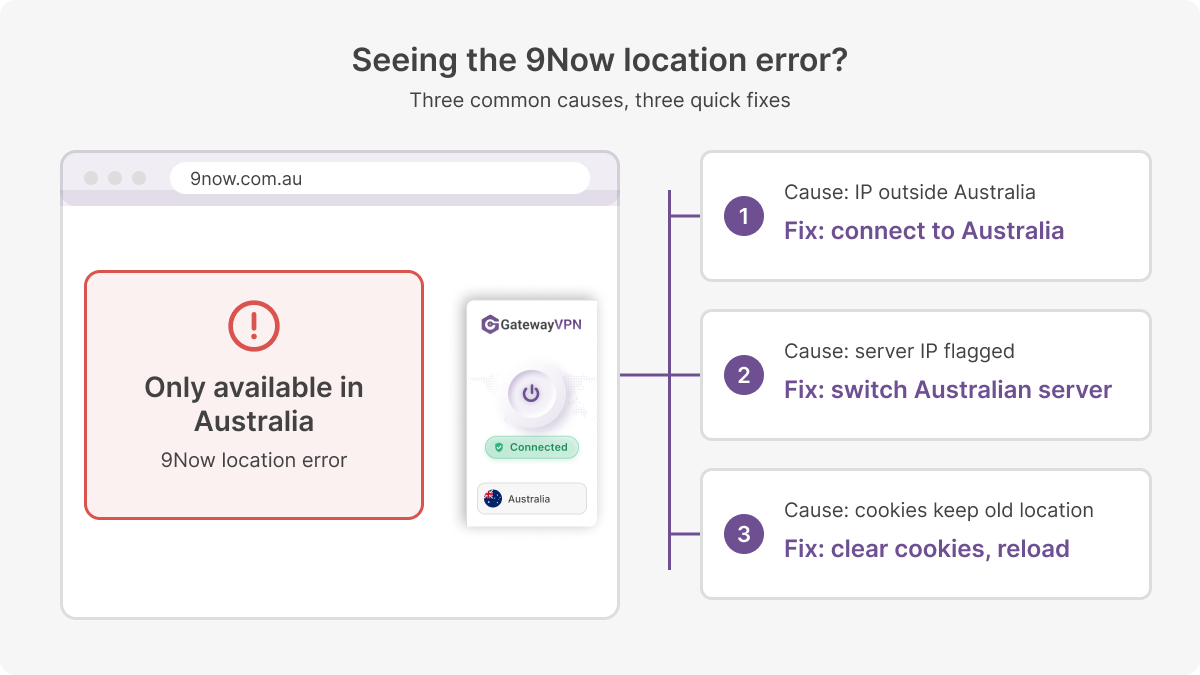
Most 9Now errors come from your IP, a flagged server, or a stored location. Each one has a quick fix, so work through them in this order:
| Problem | Why it happens | Fix |
|---|---|---|
| “Only available in Australia” message | Your IP isn’t Australian, or 9Now loaded before the VPN connected | Connect to Australia, then reload 9Now |
| Error while GatewayVPN is connected | That server’s IP is on a streaming block list | Disconnect and connect to a different Australian server |
| Still blocked in the browser | Cookies keep your earlier, non-Australian location | Clear cookies for 9now.com.au or use a private window |
| Live stream buffers | Your traffic travels a long way to Australia | Switch the protocol to WireGuard in the app settings |
| 9Now app missing from your store | Your app store account isn’t set to Australia | Watch at 9now.com.au in your browser |
| Stream stops when your network changes | The VPN connection dropped | Turn on the kill switch (Windows, macOS, Android) or automatic reconnect (iOS, Android) |
Don’t swap to a free VPN to get around a block. Several free plans don’t let you pick Australian servers at all, so they can’t unblock 9Now.
Frequently asked questions about watching 9Now overseas
Is 9Now free to watch outside Australia?
Yes. 9Now itself is free and ad-supported, so you never pay Nine. Abroad, the only cost is the VPN that gives you an Australian connection.
Do I need a VPN for 9Now when I travel?
Yes. 9Now blocks every non-Australian IP, including Australians on holiday with an existing account. A VPN for 9Now with an Australian server is the step that restores access.
Can I watch 9Now in the US or UK?
Yes, once GatewayVPN is connected to Australia. The steps are the same in any country. Just check kick-off times, because Australian evening shows land in the early morning in the UK and the US.
Can I watch AFL on 9Now?
No. AFL rights run through Seven and Foxtel until 2031, so free AFL streams are on 7plus. On 9Now, look for NRL rugby league and Wallabies rugby union Tests instead.
Can I watch 9Now on my TV abroad?
Yes. The simplest option is a laptop connected to GatewayVPN and plugged into the TV with HDMI. For Apple TV or Chromecast, set up GatewayVPN on a router with a built-in VPN client, as covered in the device table below.
How many devices can I use with one GatewayVPN account?
Up to 5 at the same time. That’s enough for 9Now on your laptop and phone, with room left for the rest of the family.
Watch 9Now on any device with GatewayVPN
This table shows the devices 9Now officially runs on, and how GatewayVPN works on each one. The left side is about 9Now; the right side is about GatewayVPN.
| On 9Now | With GatewayVPN | ||
|---|---|---|---|
| Device | 9Now support | GatewayVPN support | Setup guide |
| iPhone and iPad | App | Application | VPN for iOS |
| Android phones and tablets | App | Application | VPN for Android |
| Windows PC | Web browser | Application | Windows VPN |
| Mac | Web browser | Application | macOS VPN |
| Apple TV | App | Manual setup | Apple TV guide |
| Chromecast | Cast from the app | Manual setup | Chromecast guide |
- Application: install the GatewayVPN app on the device and connect to Australia.
- Manual setup: GatewayVPN has no app for the device, so you connect it through a router or a shared connection.
Sources: 9Now on the App Store (iPhone, iPad, Apple TV, Chromecast) and Mediaweek (web and Android).
For Manual setup devices, set up GatewayVPN on your router so every device on your Wi-Fi gets an Australian IP. You can also share the connection from a Windows PC or Mac running the GatewayVPN app.
Install GatewayVPN on your laptop or phone, connect to Australia, and open 9now.com.au before your next show starts.