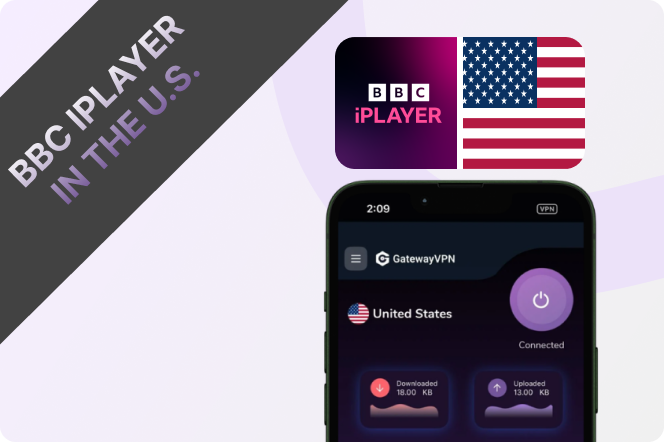
For British expats living in the US, losing access to familiar BBC shows, live sports, and UK news can be frustrating. Unfortunately, BBC restricts BBC iPlayer to viewers inside the UK, which means it won’t work from the United States by default.
The easiest way to watch BBC iPlayer in the US is by using GatewayVPN. By connecting to a UK server, you can securely access BBC iPlayer as if you were back home in Britain — whether you want to stream live TV, catch up on your favourite series, or stay updated with UK news while abroad.
Can I Watch BBC iPlayer in the US?
BBC iPlayer is only available to viewers in the UK, so if you try to open it from the US, you may see a location error or find that videos simply won’t play. This is because BBC iPlayer checks your IP address to decide whether you’re accessing the service from inside or outside the UK.
For British expats living in the US, that can be frustrating — especially if you still want access to UK news, live BBC channels, dramas, documentaries, and catch-up TV from back home.
The easiest way to watch BBC iPlayer in the US is to use GatewayVPN and connect to a UK VPN server. This gives your device a UK IP address, helping you access BBC iPlayer as if you were browsing from Britain. Once connected, you can open BBC iPlayer, sign in to your account, and start streaming from the United States.
How to Watch BBC iPlayer in the US on iPhone & iPad
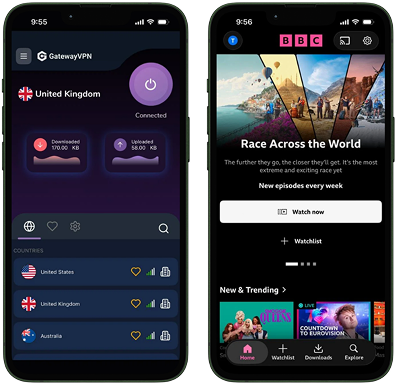
Watching BBC iPlayer on your iPhone or iPad in the US is straightforward with GatewayVPN. Here’s how to get set up in just a few minutes:
- Install GatewayVPN from the App Store
Download and install GatewayVPN on your iPhone or iPad from the Apple App Store. - Log in or create an account
Open the app and sign in to your existing account, or create a new one if you’re using GatewayVPN for the first time. - Connect to a UK VPN server
Open the server list and choose a UK server location. This gives you a UK IP address so BBC iPlayer thinks you’re browsing from Britain. - Launch the BBC iPlayer app
Open the BBC iPlayer app and start streaming your favourite UK shows, live TV, and catch-up content from the US.
How to Watch BBC iPlayer in the US on Android & Tablet
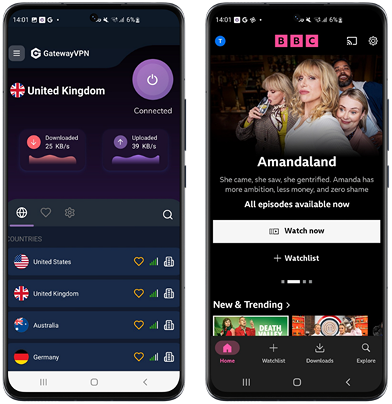
Using BBC iPlayer on an Android phone or tablet in the US works the same way: connect to a UK VPN server first, then open BBC iPlayer as normal.
- Install GatewayVPN from Google Play
Download and install GatewayVPN on your Android phone or tablet from the Google Play Store. - Log in or create an account
Open GatewayVPN and sign in. If you’re new, create an account before continuing. - Connect to a UK VPN server
Open the server menu and select a United Kingdom server. This gives your Android device a UK IP address, which is needed to access BBC iPlayer from the US. - Launch the BBC iPlayer app
Once connected, open the BBC iPlayer app and start watching your favourite BBC shows, live channels, and catch-up content while living in the United States.
How to Watch BBC iPlayer in the US on PC & Mac
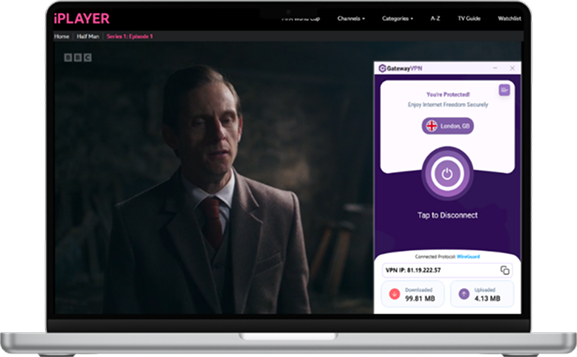
You can also watch BBC iPlayer from the US on your Windows PC or Mac by installing GatewayVPN directly on your computer.
- Download GatewayVPN for your device
Go to the GatewayVPN downloads page and download the app for Windows or Mac. - Install and open GatewayVPN
Follow the installation steps, then launch the GatewayVPN app on your computer. - Log in or create an account
Sign in with your existing GatewayVPN account, or create a new one if you haven’t already. - Connect to a UK VPN server
Open the server menu and choose a United Kingdom server. This gives your PC or Mac a UK IP address. - Open BBC iPlayer in your browser
Visit the BBC iPlayer website, sign in to your BBC account, and start watching your favourite UK shows, live TV, and catch-up content from the US.
How to Watch BBC iPlayer in the US on Smart TV, Apple TV, & Fire TV Stick
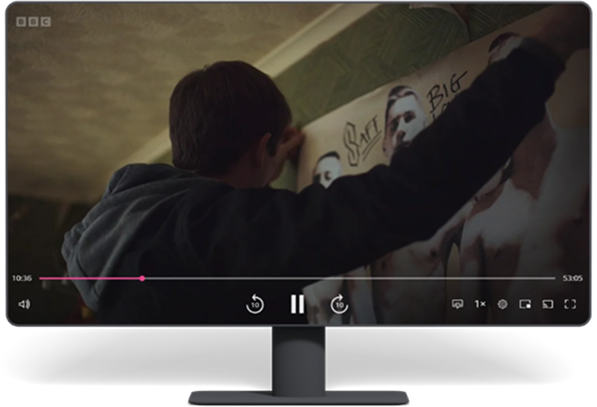
Watching BBC iPlayer in the US on a Smart TV, Apple TV, or Fire TV Stick is a little different from using a phone or computer. These devices don’t always support VPN apps directly, so the best option is to connect them through a VPN-protected network.
You can do this in a few ways:
- Set up GatewayVPN on your router
This protects every device connected to your home Wi-Fi, including your Smart TV, Apple TV, and Fire TV Stick.
Read the router setup guide - Use VPN connection sharing from your PC or Mac
Connect GatewayVPN on your computer, then share that VPN connection with your streaming device. - Use a mobile hotspot from your phone
Connect GatewayVPN to a UK server on your phone, then use your phone’s hotspot to connect your TV device. - Follow the device-specific setup guide
For more detailed steps, use the setup guide that matches your device:
Smart TV setup guide
Apple TV setup guide
Once your Smart TV, Apple TV, or Fire TV Stick is connected through a UK VPN server, open BBC iPlayer and stream as usual from the US.
Can I Use a Free VPN to Watch BBC iPlayer in the US?
In most cases, a free VPN will not work reliably with BBC iPlayer in the US. Free VPNs usually have a small number of shared servers, and thousands of people may be using the same IP addresses at the same time. Because of this, BBC iPlayer can often detect and block those IPs quickly.
Free VPNs also tend to be slower, which can lead to buffering, poor video quality, or streams that fail to load. For British expats who want to watch BBC iPlayer regularly from the US, that can make the experience frustrating and unreliable.
A premium VPN like GatewayVPN is a better option because it provides faster UK connections and uses IP addresses that are better suited for streaming. With residential IP addresses, your connection appears more like a real user browsing from that area rather than traffic coming from a crowded data center server. This helps reduce blocks and makes it easier to access BBC iPlayer from the US.
So while a free VPN might sound tempting, it usually is not the best choice for BBC iPlayer. For a smoother experience, connect to a UK server with GatewayVPN before opening BBC iPlayer.
BBC iPlayer Not Working in the US? Try These Fixes
If BBC iPlayer still isn’t working after connecting to GatewayVPN, don’t worry. Streaming platforms can sometimes detect old sessions, cached location data, or a VPN server that needs switching. Here are a few quick fixes to try.
1. Switch to another UK VPN server
Disconnect from your current UK server and connect to a different one from the GatewayVPN server menu. This refreshes your connection and gives you a new UK IP address, which can often fix BBC iPlayer loading or playback issues.
2. Clear your browser cookies and cache
BBC iPlayer may remember your previous US location through browser cookies. Clear your cookies and cache, then reconnect to a UK server and open BBC iPlayer again.
3. Use a private or incognito window
If you’re watching on PC or Mac, open BBC iPlayer in a private browsing window after connecting to GatewayVPN. This prevents old location data from affecting your session.
4. Restart the BBC iPlayer app
On iPhone, iPad, Android, Smart TV, or Fire TV Stick, fully close the BBC iPlayer app and reopen it after connecting to a UK VPN server. If needed, restart your device as well.
5. Check that GatewayVPN is connected first
Before launching BBC iPlayer, make sure GatewayVPN is connected to a United Kingdom server. Opening BBC iPlayer before connecting may cause the app or website to detect your US location.
6. Update both apps
Make sure you’re using the latest version of GatewayVPN and BBC iPlayer. App updates can fix connection bugs, playback errors, and compatibility issues.
7. Contact GatewayVPN support
If BBC iPlayer still isn’t working, contact GatewayVPN support and mention that you’re trying to watch BBC iPlayer from the US. They can help you find the best UK server or setup method for your device.
Final Thoughts
BBC iPlayer may be limited to viewers in the UK, but British expats in the US still have a simple way to stay connected to the shows, live channels, news, and familiar content they miss from home.
With a VPN for BBC iPlayer, you can connect to a UK VPN server, open BBC iPlayer, and stream as if you were back in Britain. Whether you’re watching on iPhone, iPad, Android, PC, Mac, Smart TV, Apple TV, or Fire TV Stick, the setup is straightforward once your device is connected through a UK VPN connection.
For the best experience, avoid free VPNs, connect to a reliable UK server, and make sure GatewayVPN is turned on before launching BBC iPlayer. Once everything is set up, you can enjoy your favourite BBC content from the US without the usual location restrictions.


 By Nolan A. Pierce
 By Diego Castillo