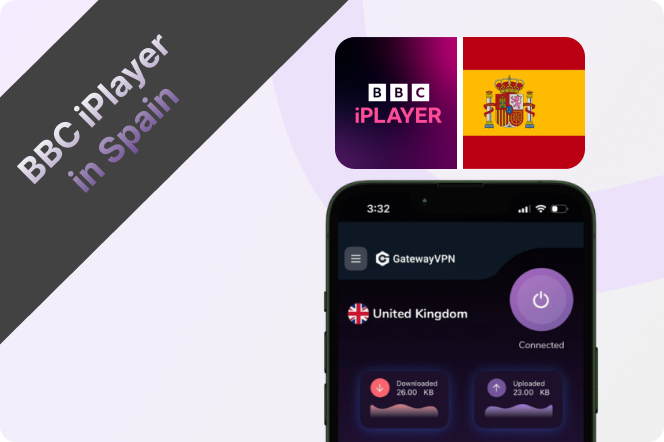
If you’re a British expat living in Spain, you’ve probably discovered that BBC iPlayer doesn’t work the same way it does back home. Because the platform is only available in the UK, trying to stream your favourite BBC shows, live TV, or sports events from Spain usually results in a location error.
The easiest way to watch BBC iPlayer in Spain is to use GatewayVPN. By connecting to a UK server, you can securely access BBC iPlayer as if you were browsing from the UK, letting you stream your favourite content without interruptions — whether you’re living in Spain full-time or just staying abroad for a while.
Can I Watch BBC iPlayer in Spain?
Yes, you can watch BBC iPlayer in Spain, but the service is normally restricted to viewers located in the UK. If you try to access BBC iPlayer from Spain without a VPN, you’ll usually see a message saying that the content is only available in the UK.
By using a VPN for BBC iPlayer and connecting to a UK server, you can access BBC iPlayer while living or travelling in Spain. This allows British expats abroad to stream BBC shows, live channels, documentaries, and sports just like they would back home in the UK.
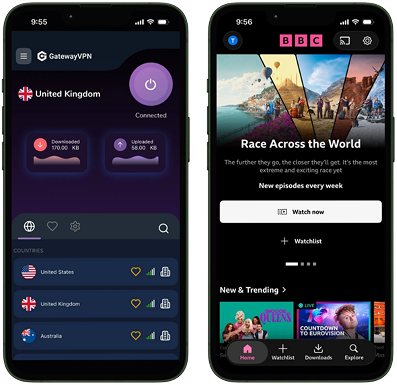
How to Watch BBC iPlayer in Spain on iPhone & iPad
Watching BBC iPlayer in Spain on your iPhone or iPad only takes a few minutes with GatewayVPN:
- Download and install GatewayVPN from the App Store on your iPhone or iPad.
- Open the app and log in to your account, or create a new account if you haven’t signed up yet.
- Open the server list and connect to a UK VPN server.
- Launch the BBC iPlayer app and start streaming from Spain.
How to Watch BBC iPlayer in Spain on Android & Tablet
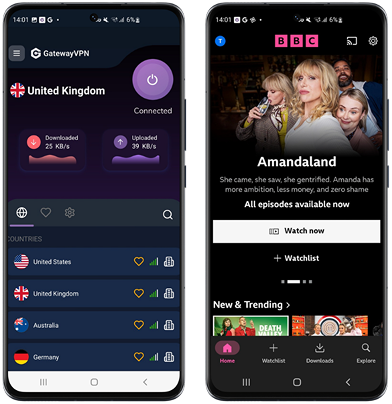
If you’re using an Android phone or tablet, you can access BBC iPlayer in Spain in just a few simple steps with GatewayVPN:
- Download and install GatewayVPN from the Google Play Store on your Android device or tablet.
- Open the app and log in to your account, or create a new one if you’re a new user.
- From the server list, select and connect to a UK VPN server.
- Once connected, open the BBC iPlayer app and start streaming your favourite content from Spain.
How to Watch BBC iPlayer in Spain on PC & Mac
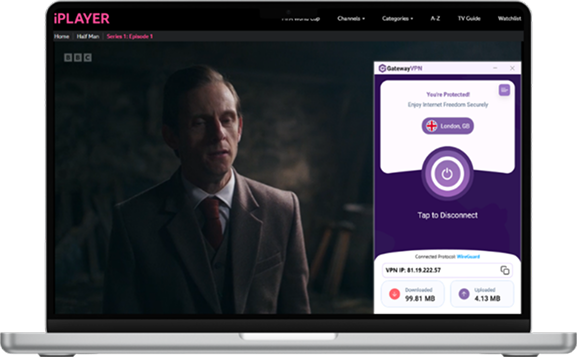
If you’re using a laptop or desktop, you can easily access BBC iPlayer in Spain with GatewayVPN.
- Download and install GatewayVPN from the official downloads page on your PC or Mac.
- Open the app and log in to your account, or create a new account if you’re new to GatewayVPN.
- Connect to a UK server from the server list inside the app.
- Once connected, open your browser and go to BBC iPlayer, then start streaming your favourite shows from Spain.
How to Watch BBC iPlayer in Spain on Smart TV, Apple TV, & Fire TV Stick
Streaming BBC iPlayer on Smart TVs and streaming devices like Apple TV or Fire TV Stick requires a slightly different setup, since these devices don’t always support VPN apps directly.
To watch from Spain, you can connect through GatewayVPN using one of the following methods:
- Set up GatewayVPN on your router so all devices on your home network are connected through a UK server: Router setup guide
- Configure your Smart TV directly (where supported): Smart TV setup guide
- Use Apple TV-specific setup instructions for a smooth connection: Apple TV setup guide
Once connected through a UK server, you can open BBC iPlayer on your device and stream as if you were back in the UK.
Can I Use a Free VPN to Watch BBC iPlayer in Spain?
In most cases, free VPNs do not work reliably with BBC iPlayer in Spain. Streaming platforms like BBC iPlayer actively detect and block shared VPN IP addresses commonly used by free VPN services.
Because free VPNs typically use overcrowded data centre IPs that are shared between thousands of users, these addresses are quickly identified and restricted by streaming platforms. This often leads to proxy errors, buffering issues, or complete access blocks.
Premium VPN services like GatewayVPN are far more reliable because they use higher-quality UK IP addresses, including residential-style IP infrastructure that appears more like normal traffic from real users in the UK. This makes it much easier to access BBC iPlayer from Spain without interruptions.
In addition to better streaming access, premium VPNs also offer faster speeds, more stable connections, stronger privacy protection, and support across multiple devices, including iPhone, Android, PC, Mac, Smart TVs, and streaming devices.
Troubleshooting Tips for Watching BBC iPlayer in Spain
If BBC iPlayer isn’t working properly while you’re connected to GatewayVPN, here are a few quick fixes that usually solve the problem:
- Reconnect to a different UK server
Sometimes switching to another UK location can help refresh your connection. - Clear your browser or app cache
BBC iPlayer may store location data from previous sessions. Clearing cache and cookies can help. - Restart the BBC iPlayer app
Fully close the app and reopen it after connecting to the VPN. - Check that your VPN connection is active
Make sure GatewayVPN is connected before launching BBC iPlayer. - Try a different device or browser
If streaming isn’t working on one device, testing another browser or device can help identify the issue. - Update your apps
Ensure both GatewayVPN and BBC iPlayer are updated to the latest version for the best compatibility.
If you still experience issues, you can contact the GatewayVPN support team for additional help.
Conclusion
For British expats living in Spain, access to BBC iPlayer doesn’t have to be limited just because you’re abroad. With GatewayVPN, you can securely connect to a UK server and enjoy your favourite BBC shows, live TV, and catch-up content from anywhere in Spain.
Whether you’re streaming on iPhone, Android, PC, or your Smart TV, the setup is quick and flexible — giving you a simple way to stay connected to UK television while living abroad.


 By Nolan A. Pierce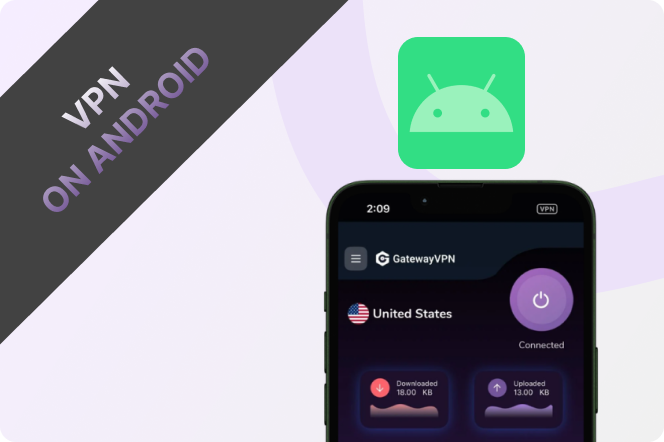
 By Diego Castillo