

Are you tired of missing out on your favorite British shows when traveling or living abroad? STV Player, one of Scotland’s most popular streaming platforms, offers an impressive library of exclusive content, from gripping crime dramas like Karen Pirie and Ridley to beloved soaps like Emmerdale and live broadcasts such as Good Morning Britain. With thousands of hours of on-demand entertainment and live TV channels, STV Player is a must-have for fans of UK television.
However, if you’ve ever tried to access STV Player in the USA or other non-UK countries, you’ve likely encountered a frustrating message: “Unfortunately, you can’t stream live or watch the majority of our on-demand shows on STV Player when you’re outside of the UK”. This geo-restriction barrier leaves many viewers in popular expat destinations like Spain, Australia, or the United States unable to enjoy their preferred shows due to licensing agreements and regional broadcasting laws.
But don’t despair—there’s a reliable solution to bypass these virtual borders. In this article, we’ll guide you through the simple steps to watch STV from anywhere in the world, ensuring you never miss a moment of the action. Whether you’re craving a dose of Scottish drama or want to tune in live to STV’s coverage, we’ve got you covered. Let’s dive in!
Watch STV Player Abroad with GatewayVPN
GatewayVPN provides a seamless and powerful solution for accessing STV Player in the USA and beyond, ensuring you never miss must-see Scottish content like Karen Pirie, Emmerdale, or live broadcasts from the STV region, no matter your location. Whether you’re trying to watch STV in the United States, Spain, or anywhere outside the UK, our user-friendly app makes it simple—just download, connect to a high-speed UK server, and instantly unlock STV Player’s full library of on-demand shows and live regional channels. With advanced encryption, GatewayVPN not only bypasses geo-blocks but also keeps your data secure from cyber threats, making it ideal for safe streaming on public networks in hotels, cafes, or airports.
Experience ultra-fast speeds optimized for smooth HD streaming without buffering, powered by our specialized UK server network. Our apps work across all your devices—including iOS, Android, Windows, Mac, and routers—and offer unlimited bandwidth and multiple simultaneous connections.
Try GatewayVPN risk-free with our 30-day money-back guarantee and discover why we’re the top choice for watching STV Player in the USA. Join thousands of users who rely on us for buffer-free access and dedicated customer support—start streaming your favorite STV region content without restrictions today.
Why you need a VPN to watch STV abroad
To watch STV Player in the USA or anywhere outside the UK, you will need a VPN, as STV enforces strict geo-blocking measures that limit access to users within the United Kingdom—specifically those in the STV region of broadcast (Central and Northern Scotland). When you try to stream from abroad, the platform detects your non-UK IP address and immediately blocks access, displaying an error message that prevents viewing live or on-demand content.
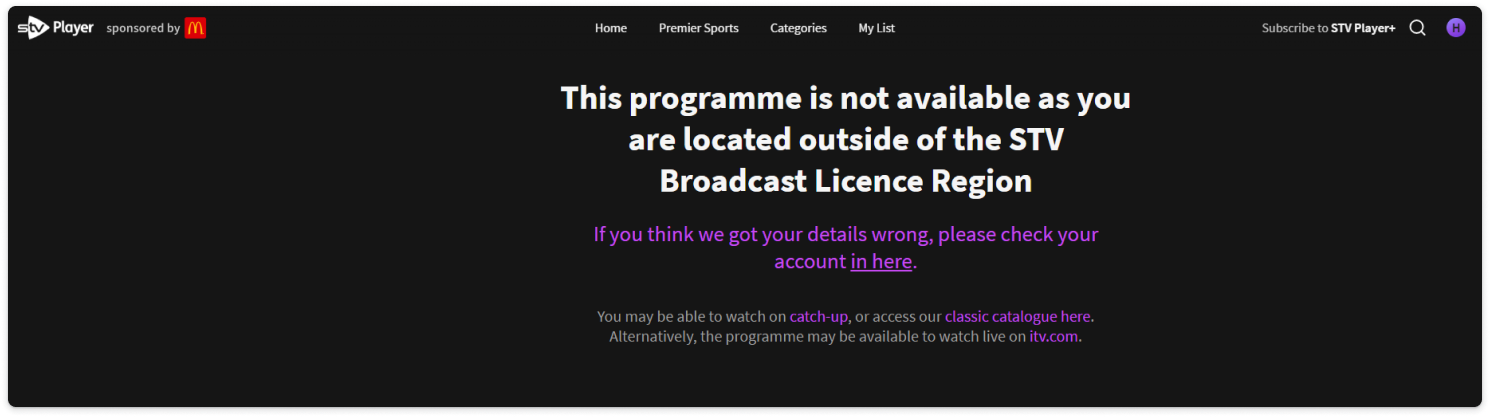
A VPN like GatewayVPN resolves this by encrypting your internet connection and routing it through a high-speed server in the UK. This masks your actual location and assigns you a British IP address, making it appear as if you are accessing the service from within the STV region. This allows you to seamlessly bypass restrictions and watch STV Player in the USA or other countries, while also ensuring your data remains secure—especially on public or unsecured networks.
Step-by-step guide on how to watch STV Player outside the UK
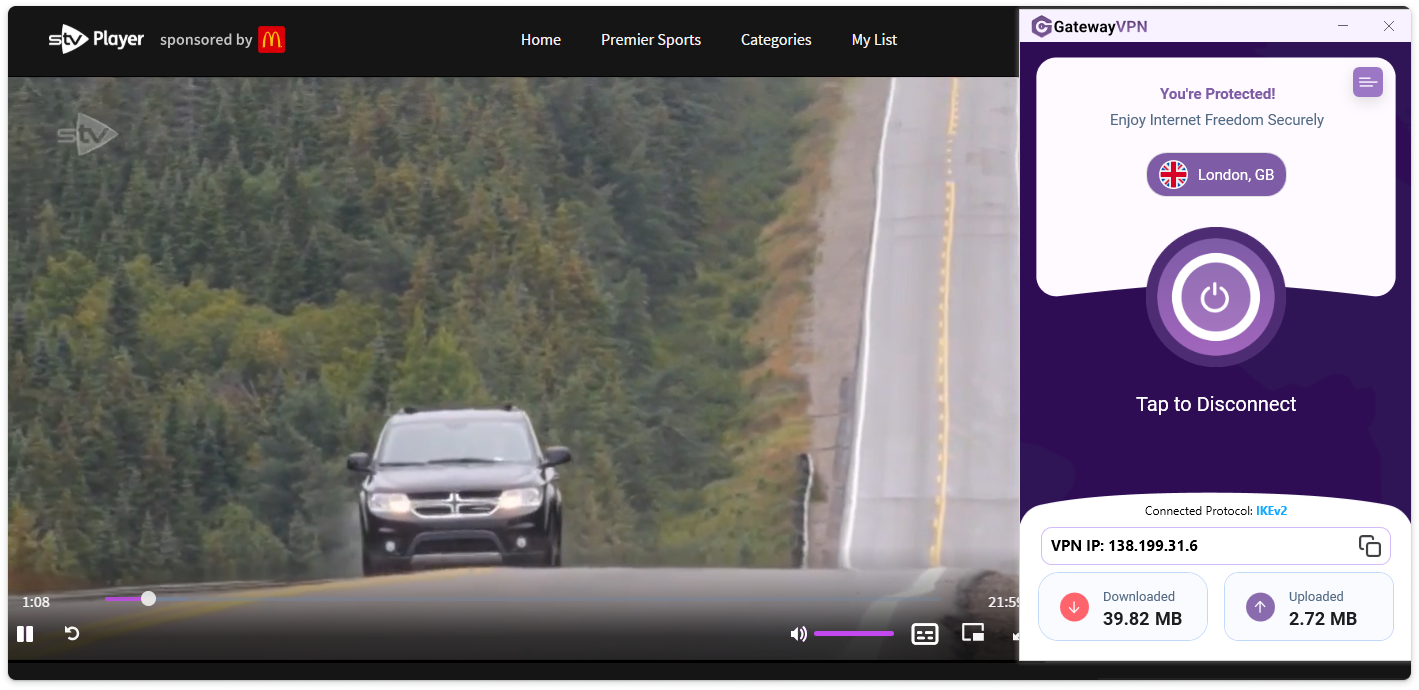
Follow these steps to watch STV Player in the U.S. or anywhere outside the UK:
- Install GatewayVPN
- Download the app for your device:
- iOS & Android: Find GatewayVPN in the App Store or Google Play.
- Mac & Windows: Visit the GatewayVPN website and grab the desktop installer.
- Check our setup guides for detailed information on installing GatewayVPN on your device: iOS setup, Android setup, macOS setup, Windows setup.
- Download the app for your device:
- Choose the right server
- Open the app and browse the server list.
- For STV Player, you’ll need to select a server in the UK.
- Log in to your STV accountor create one if you don’t already have an account.
- With GatewayVPN connected, open your browser or the STV Player app.
- Visit the STV login page, enter your credentials, and you’ll now be able to watch STV Player outside the UK.
- Optimize your stream
- Switch your VPN protocol to WireGuard (in Settings) for the best balance of speed and security.
- If you plan to watch on a Smart TV or game console, install the VPN on your router; this will cover all connected devices.
Following these steps, you can unblock and watch STV Player in the U.S. or anywhere abroad while maintaining security and online anonymity.
Frequently asked questions
Why is STV Player blocked outside the UK?
STV Player is subject to geo-restrictions due to licensing and broadcasting rights agreements. These contracts require STV to limit access to viewers physically located within the UK, specifically within the STV region of broadcast (Central and Northern Scotland). When you try to access STV Player in the USA or elsewhere abroad, the service detects your foreign IP address and blocks the stream to comply with these rules.
How does a VPN allow me to watch STV abroad?
A VPN (Virtual Private Network) masks your real IP address and encrypts your internet connection. By connecting to a UK-based VPN server, like those provided by GatewayVPN, you are assigned a British IP address. This tricks the STV Player into thinking you are browsing from within the UK, allowing you to bypass the geo-block and access all content as if you were at home.
Is using a VPN to watch STV legal?
Yes, using a VPN is perfectly legal in most countries, including the UK and USA. It is a legitimate privacy tool. However, it is important to note that while using a VPN is legal, bypassing geo-restrictions may violate the terms of service of the streaming platform. That said, many users employ VPNs for this purpose without any issue.
Can I use a free VPN to watch STV Player in the USA?
We do not recommend using free VPNs for streaming. They often have slow speeds, data caps, and unreliable connections that lead to buffering and poor video quality. More importantly, free VPNs are frequently detected and blocked by streaming services like STV. GatewayVPN offers optimized, high-speed UK servers specifically designed to reliably unblock STV Player.
Will using a VPN affect my streaming speed?
A high-quality VPN like GatewayVPN is optimized for speed. Our specialized UK servers are configured to handle high-bandwidth activities like streaming in HD without significant slowdowns. In fact, by providing a direct route to the content, a VPN can sometimes improve your connection by preventing bandwidth throttling from your Internet Service Provider.
I’m in the UK but can’t access my STV region content. Why?
This can happen if your internet connection is routing through a server outside the UK, causing your IP address to appear foreign. It can also occur due to GPS data on mobile devices. Using GatewayVPN and connecting to a server in your correct UK region (e.g., Scotland) will resolve this issue and restore your access.
What if GatewayVPN doesn’t work with STV?
Our service is consistently updated to work with major streaming platforms like STV. In the rare event you experience an issue, our dedicated 24/7 customer support team is ready to help you troubleshoot and get you connected. We also offer a 30-day money-back guarantee, so you can try our service risk-free.