How to Watch CBC Outside Canada
- Content verification date: December 14, 2025
Watch CBC abroad in 3 Steps:
- Create a GatewayVPN account.
- Install GatewayVPN, and connect to a VPN server in the Canada.
- Visit the CBC website or download the app and enjoy streaming CBC abroad.
30-day money-back guarantee
 Looking to watch CBC abroad? The Canadian Broadcasting Corporation offers a wide range of popular shows and live programming, but its streaming service is restricted to viewers within Canada. Whether you’re a Canadian traveler, expat, or simply living overseas, GatewayVPN makes it easy to bypass geo-blocks and access CBC’s top content from anywhere in the world.
What is GatewayVPN?
GatewayVPN enables you to access your favorite streaming services no matter where you are in the world. Additionally, our VPN service enhances your online privacy and security, offering a safer and more unrestricted internet experience.
Is a subscription needed for CBC?
No, CBC is a free service in Canada.
All trademarks and registered trademarks belong to their respective owners. GatewayVPN™ is not affiliated with or endorsed by any of the services mentioned on our site. Our VPN service is not intended for copyright circumvention. Please review the GatewayVPN Terms of Service and CBC Terms of Use for more information.
With a secure connection and fast servers, you can stream CBC just as if you were back home—no hassle, no restrictions.
“A VPN hides your real IP address and routes your traffic through a server in Canada. When you connect through a Canadian server, CBC sees a Canadian IP and grants full access as if you were physically inside Canada. With your true location concealed, CBC’s geo-blocking measures can’t detect that you’re streaming from abroad.”

Why you need a VPN to unblock CBC outside Canada
When you try to stream CBC outside Canada, you’ll be met with a geo-restriction message like the one shown above, blocking access due to your location. CBC detects your IP address to determine whether you’re inside Canada, and if you’re abroad, the platform immediately restricts playback.

This is where a VPN becomes essential. By connecting to a Canadian VPN server, you replace your foreign IP with a Canadian one, allowing you to bypass CBC’s geographic filters and watch your favorite shows as if you were back home.
How to watch CBC abroad on Android
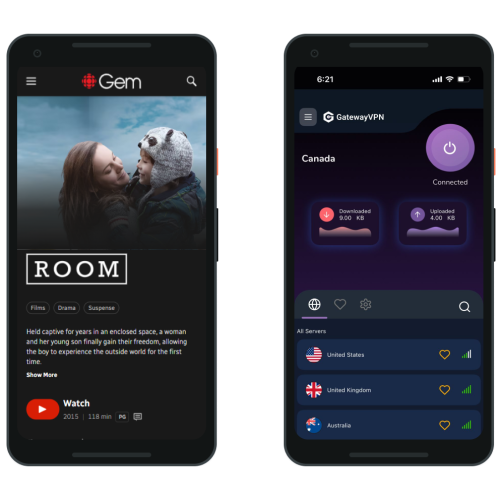
With GatewayVPN, you can quickly unblock CBC Gem on any Android phone or tablet. Follow the steps below to get started:
- Download the GatewayVPN app from the Google Play Store on your Android device.
- Open the app and log in to your GatewayVPN account.
- Select and connect to a Canadian server.
- Open the CBC Gem app or access CBC through your browser.
- Enjoy unrestricted CBC streaming from anywhere in the world.
How to watch CBC abroad on iPhone/iPad
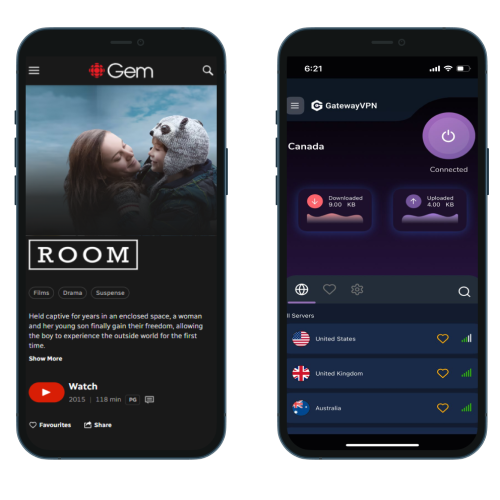
Streaming CBC on your iOS device while abroad is easy with GatewayVPN. Just follow these steps to access CBC Gem anywhere:
- Download the GatewayVPN app from the App Store on your iPhone or iPad.
- Open the app and sign in to your GatewayVPN account.
- Connect to a Canadian server from the server list.
- Launch the CBC Gem app or open CBC in your mobile browser.
- Start streaming CBC content as if you were in Canada.
How to watch CBC abroad on PC browser (Windows/macOS)
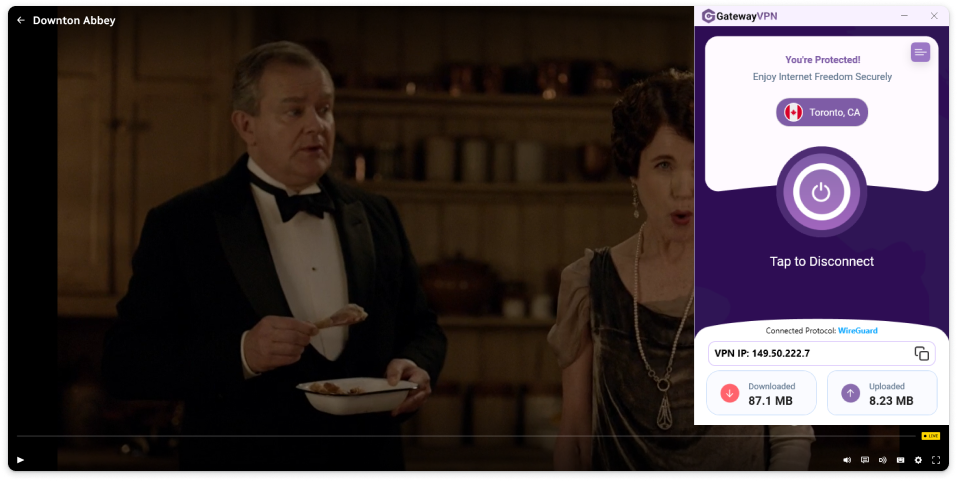
Watching CBC outside Canada on your computer is quick and simple. Just follow the steps below to get set up and start streaming instantly:
- Download and install the GatewayVPN app on your Windows or macOS device.
- Launch the app and sign in to your GatewayVPN account.
- Connect to a Canadian server from the server list.
- Open your preferred browser (Chrome, Firefox, Safari, Edge).
- Visit CBC Gem and start streaming with your new Canadian IP address.
You’re now ready to enjoy CBC abroad without geo-blocks.
Supported devices for watching BBC iPlayer abroad
Device | Setup Guide | Supported |
|---|---|---|
Windows | Set up VPN on Windows | |
macOS | Set up VPN on macOS | |
Android | Set up VPN on Android | |
iPhone & iPad | Set up VPN on iOS | |
Smart TVs | Set up VPN on Smart TVs | |
Linux | Set up VPN on Linux | |
Fire TV | Set up VPN on Fire TV | |
Roku | Set up VPN on Roku | |
Chromecast | Set up VPN on Chromecast | |
PlayStation | Set up VPN on PlayStation | |
Xbox | Set up VPN on Xbox | |
Router | Set up VPN on Router | |
Apple TV | Set up VPN on Apple TV |
Frequently asked questions
Yes. CBC content is normally restricted to viewers inside Canada, but you can watch CBC abroad by connecting to a reliable VPN with Canadian servers. This allows CBC to see a Canadian IP address and grant access.
CBC limits its streaming rights to Canadian territory due to licensing agreements. When you try to access CBC from another country, the platform detects your foreign IP address and blocks the stream.
A VPN replaces your real IP address with one from a Canadian server. This makes it appear as if you are browsing from within Canada, allowing you to bypass geo-restrictions and stream CBC without issues.
Using a VPN is legal in most countries. However, it may violate CBC’s terms of service, so use it responsibly. Your actual use-case and local laws determine what’s permitted.
A high-quality VPN like GatewayVPN is optimized for streaming and offers fast Canadian servers. In most cases, you should be able to watch CBC shows and live streams in HD without buffering.
Most free VPNs lack servers in Canada, have slow speeds, and are easily detected by CBC. For reliable access and smooth streaming, a premium VPN service is recommended.
You can watch CBC with a VPN on Windows, macOS, iOS, Android, smart TVs, and even browsers. As long as your device can run the VPN app or a VPN-enabled connection, you’re good to go.
Yes. GatewayVPN’s Canadian servers are optimized to work with CBC Gem, allowing you to access both live channels and on-demand content from anywhere in the world.