


How to Get a US IP Address with a VPN
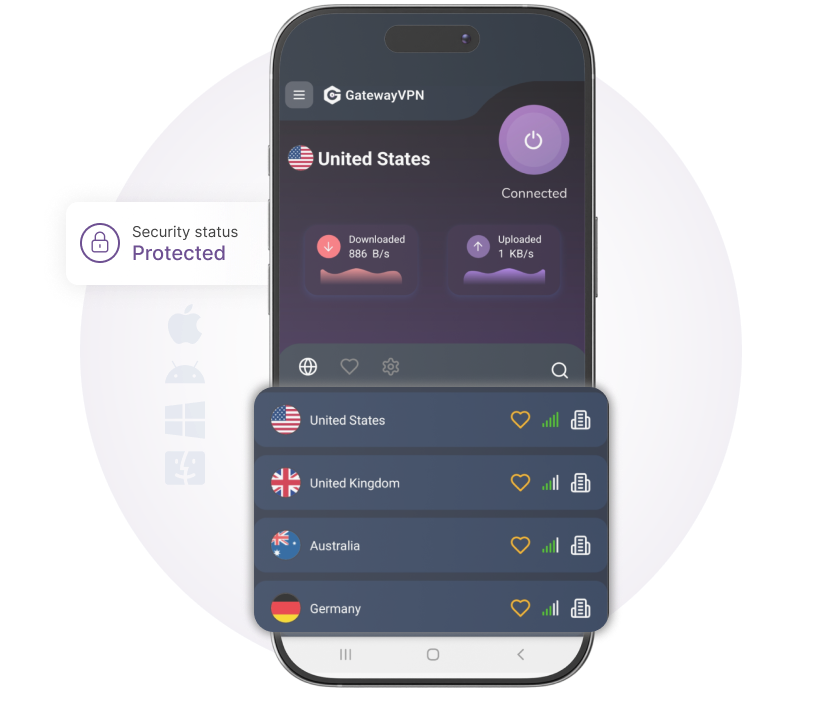
Need a US IP address? GatewayVPN lets you connect to a secure VPN server in the United States and browse with a private, encrypted US IP address.
30-day money-back guarantee
Available on
How to get a US IP address
1. Get GatewayVPN
Download the GatewayVPN app and install it on your device.
3. Connect
Open the app and tap on a US VPN server to connect.
Why use a US VPN IP address?
Browse with a private US VPN IP
When you connect to a GatewayVPN server in the United States, websites see a US VPN IP address instead of your real IP address. This adds a layer of privacy to your browsing while keeping your connection encrypted.
Protect your connection across devices
GatewayVPN secures your internet traffic on your phone, laptop, tablet, and desktop. With one account, you can browse through a private, encrypted VPN connection across your everyday devices.
Get a private US IP address today
Connect to a secure VPN server in the United States and browse with a private, encrypted US VPN IP. Get GatewayVPN now and protect your connection across all your devices.
- Save $48 With The Yearly Plan
Select your subscription plan
- Military Grade 256-Bit Encryption
- 6500+ secure servers in 60+ countries
- 24/7 customer support
- Internet Kill Switch
- 5 Devices Simultaneous Logins
- Smart Connect Feature
- Split Tunneling Feature
- Unlimited Bandwidth
Choose a payment method
-
Order Summary
-
-
12 Months$ 143.76
-
Discount $ 48.00
-
Tax $
-
Coupon Applied
-

-
-
Total$ 95.76
-
Enter your coupon code

Our 30-day money-back guarantee
If you're new and not completely happy within the first 30 days, just contact our Support team for a full refund—no hassle, no questions asked.
Frequently asked questions
Yes. You can get a US IP address by opening GatewayVPN, choosing a VPN server in the United States, and connecting. Once connected, websites will see a US VPN IP address instead of your real IP address.
Yes. A VPN changes the IP address that websites and online services see. Instead of seeing your real IP address, they see the IP address of the VPN server you are connected to.
Yes, using a VPN is legal in many countries. However, VPN rules can vary by location, so you should always follow the laws in your country and use GatewayVPN responsibly.
Yes. GatewayVPN works across multiple devices, including phones, laptops, tablets, and desktop computers. You can use one account to protect your connection on up to 5 devices.
No. GatewayVPN follows a strict no-logs policy, which means we do not track, store, or sell your browsing activity.
